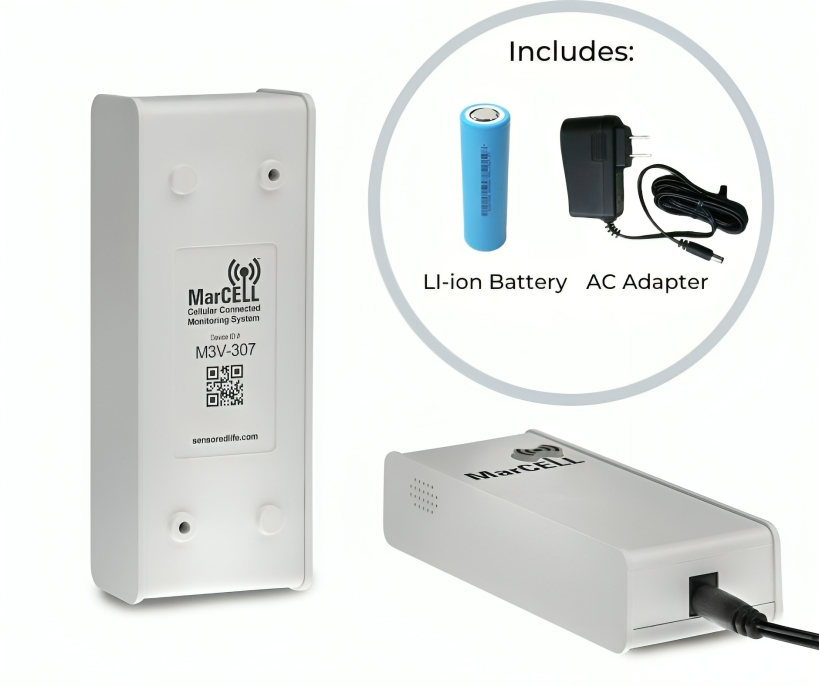
MarCELL PRO Feature: Read Only Access (Sub-Accounts)
MarCELL PRO allows for the units to be shared in a "Read only" mode to enable restricted access for friends, colleagues or clients.
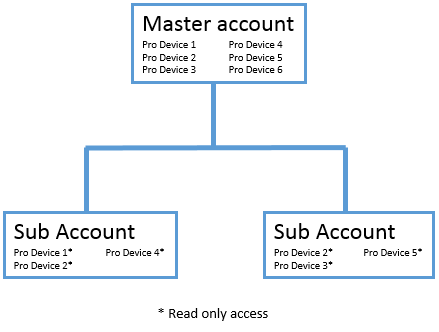
The master account is the username which was used to register the PRO unit.
Sub accounts or "read only" users can be created by the master account and assigned devices to view.
Sub accounts have their own username and password and can be deleted or modified by the master account holder. Passwords are initially set by the master account but can be changed by the sub-account user
After the sub account is created and devices assigned, the sub account user will now see only the devices shared with them in their dashboard
Sub accounts can view and download history and current status, but can not make modifications to safe ranges, alerts or account settings such as subscriptions.
Setting up read only user account:
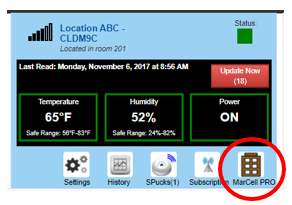
To set up read only access, click on the MarCELL PRO icon on the dashboard screen after selecting a device.
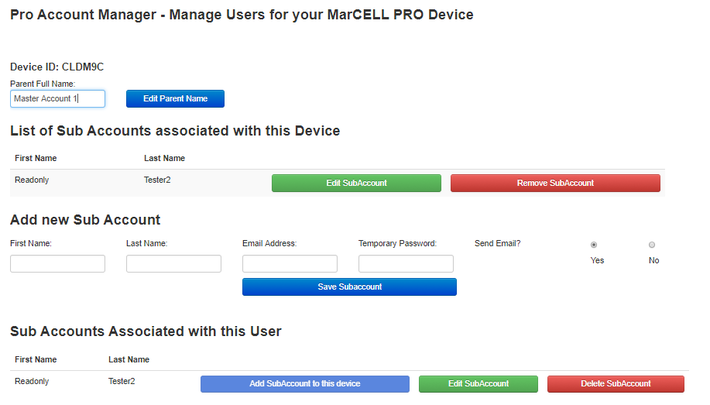
To create a "sub-account" or read only user - fill out the new "Add new Sub Account"
After the sub account is created, you can assign it a device by clicking "add sub account to this device". That account will then appear under the "List of Sub Accounts associated with this device".
Note: Sub account users can not also not also be a "master account" holder. For example: a user can not have a combination of read only devices and devices they registered.